Experience Screenshots.Click Free Image Editing.
We welcome you to the world of Screenshots.Click, where image editing has been thoughtfully designed to provide a user-friendly experience from the very first click.
At Displays.org, the publisher and creator of Screenshots.Click, we’ve set out to create something different. Rather than building an application filled with unnecessary complexity, advertisements, or mandatory upgrades, we focused on creating an image editing experience that simply works. Our goal was to provide a completely free, ad-free application that respects your time, your creativity, and your privacy.
Whether you’re enhancing screenshots, restoring treasured family photographs, preparing business presentations, creating polished social media graphics, or refining images for personal projects, Screenshots.Click provides dependable editing tools that help you achieve professional-looking results with confidence.
From the Very Beginning, Creativity Should Be an Experience, Not a Task
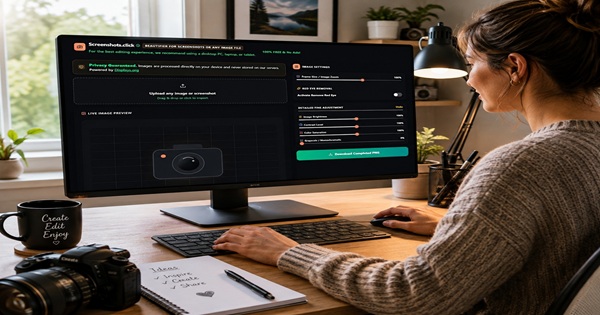
Every editing control has been carefully selected because it serves a useful purpose. From the very beginning, Screenshots.Click was designed around the idea that image editing should feel creative and rewarding, rather than becoming another complicated task to work through.
Every editing feature and individually included function has been evaluated and selected for its usefulness and reliability. There are no unfinished beta features, no unnecessary complexity, and no need to navigate through tools that add little to the creative experience. Instead, Screenshots.Click brings together practical, pre-tested controls intended to help produce satisfying results while leaving the creative decisions where they belong—with the person editing the image.
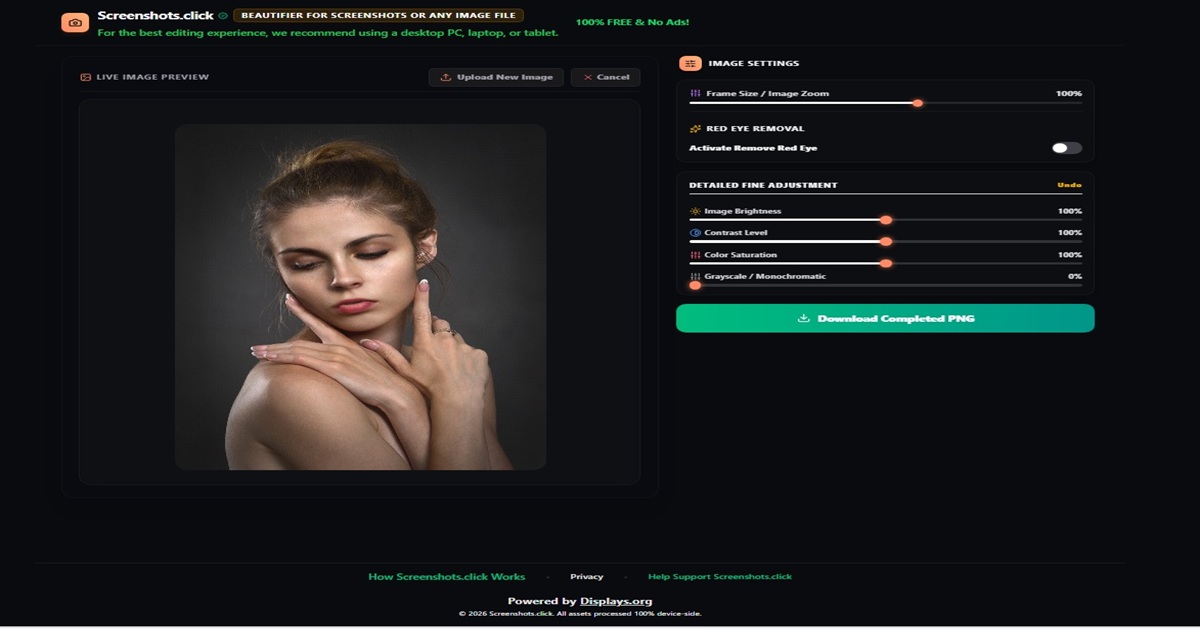
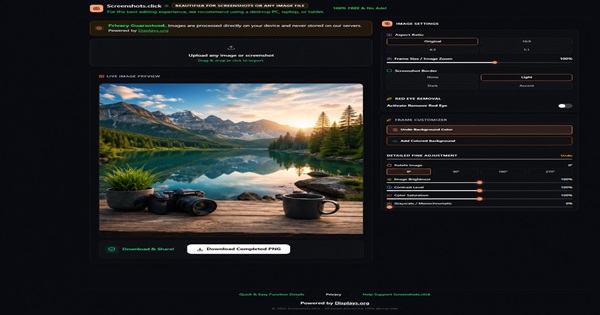
Consider the Live Image Preview as a practical example. As adjustments are made, the results can be seen directly while working. Brightness, contrast, saturation, grayscale, and other available controls can then be refined naturally until the image begins to match your own creative vision.
Whether the goal is to improve an everyday photograph, breathe new life into an older image, or simply experiment with a different appearance, the controls are there to assist the creative process—not dictate it.
Creativity should remain the experience. The tools should simply help make it possible.
Creativity Should Never Feel Constricted nor Restricted.
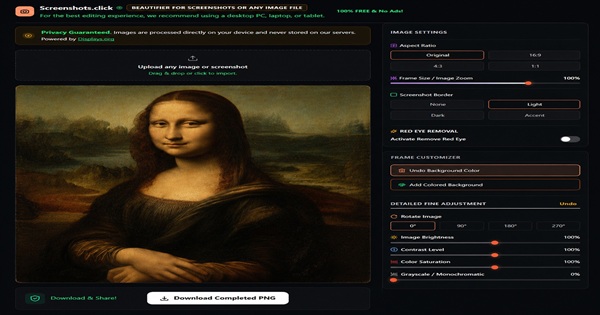
That’s why your editing choices always remain completely in your hands. Explore different adjustments, compare results, undo changes whenever you wish, and continue refining your image until you’re satisfied with the outcome. There are no complicated over complex obscure learning curves and absolutely no unnecessary obstacles standing between your ideas and the finished result.
One particular feature many users will appreciate is the built-in Red Eye Removal tool, making it easy to restore treasured family photographs that may have been affected by flash photography. Combined with brightness adjustments, image enhancements, backgrounds, gradients, and other carefully selected editing tools, Screenshots.Click helps breathe new life into images that deserve to be enjoyed time and time again.
Individual privacy is and has always been one of our highest priorities.
Your images remain yours from beginning to end. Screenshots.Click is designed to help you edit, enhance, and improve your images while keeping the creative process simple and enjoyable.
You can simply upload, edit, and download your images directly to your own computer, laptop, or tablet for personal use and selective sharing enjoyment.
Screenshots.Click works across modern intelligent devices. We recommend for a more enjoyable editing experience to use on a desktop, laptop, or tablet, where the larger screen provides additional workspace for creative editing and image refinement.
Sometimes Image Editing’s Grants The Greatest Reward!
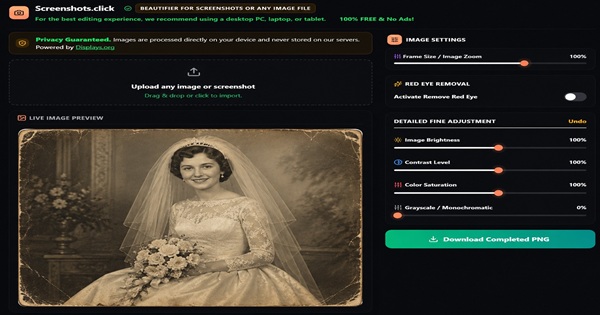
Experience the magical satisfaction of restoring your treasured family photographs, polishing up an important presentation before a meeting, or bringing any of your favourite images back to life because it matters so much to you.
The experience is not just sharing your finished image with the world, you deserve to enjoy the accomplishment itself in saving or improving an image.
These creative moments and possibilities helped inspire the creation of Screenshots.Click.
We believe software should earn your trust by delivering exactly what it promises.
That’s why Screenshots.Click is completely free to use, free from annoying advertisements, and free from mandatory cost upgrades. Screenshots.Click and all of its creative functions are completely free and function exactly as designed. We hope your experience using this application brings as much joy as we’ve had in the pleasure of creating it.
Experience: The User Friendly Editing Process With Screenshots.Click?
Screenshots.Click is proudly published by Displays.org. Free to use. No pop-ups. No forced sign-ups. No mandatory subscriptions. Built with honest principles and clear openness in mind.
Welcoming message for One and ALL!
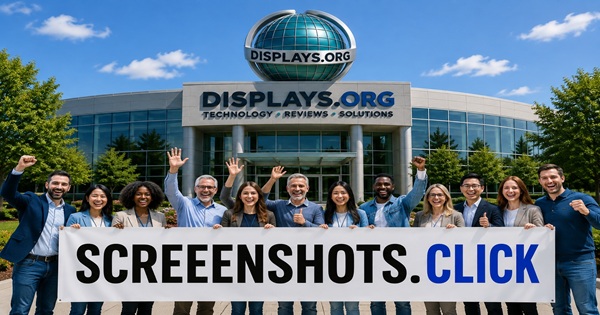
If you’re looking for pleasurable image editing experience built around creating, professional-looking results, you’re only one click away from experiencing Screenshots.Click
You can access Screenshots.Click by opening this URL in your browser https://screenshots.click and if you like to access more quickly and practically, make a shortcut on your desktop or bookmark the Linking URL. If you like Screenshots.Click Image editing application “Please” share the Screenshots.Click experience with your dear friends, family member’s, or colleague!
Official Screenshots.Click Image Editing Application
Instant Access HERE: https://screenshots.click
Screenshots.Click isn’t about showboating technology. We believe image editing should be reliable, practical, and most of all, user-friendly.
Recommended Reads
Powerful Mini PC Setups For Students

Legal & Privacy Information
Screenshots.click APP Legal Usage Disclaimer
Screenshots.Click is provided as a free-to-use online image editing application. While every reasonable effort is made to provide a reliable and enjoyable experience, Displays.org and Screenshots.Click make no guarantees regarding uninterrupted availability, compatibility with all devices, or the accuracy of edited results.
Users are responsible for ensuring they have the appropriate rights or permissions to use any copyrighted material they upload, edit, download, publish, share, or distribute using Screenshots.Click, and that such use complies with relevant copyright, trademark, privacy, intellectual property, proprietary rights, and other applicable laws.
Screenshots.Click is intended to assist with image editing and enhancement. We recommend maintaining backups of important images and files on your own devices or private storage.
Displays.org and Screenshots.Click shall not be held liable for any loss, damage, data loss, business interruption, or other consequences arising from the use of, or inability to use, the service.
By accessing and using Screenshots.Click, you acknowledge and accept these terms.
Privacy Note
Screenshots.Click is designed with privacy in mind. Your images are processed directly on your device and are not uploaded to or stored on our servers. Completed images can be downloaded directly to your own computer, laptop, or tablet.
Online Security Tip
For additional peace of mind when using any online service, consider using a trusted VPN, particularly when connected to public Wi-Fi networks.